
Mission control for AI coding agents.
Stage tasks on a board, run several agents in parallel, then review the changes and open the pull request.
SlashIt is a local-first desktop app. Every task runs in its own isolated Git checkout, so parallel agents work in separate working directories. Integrating their branches is a normal Git merge, where overlapping changes may need conflict resolution.
Follow the experimental releases
Releases are published on GitHub. To be notified about each one, watch the repository on GitHub and select Releases.
Open the releases on GitHubExperimental prerelease. Installers available for Linux, macOS and Windows. Platform validation is still limited.
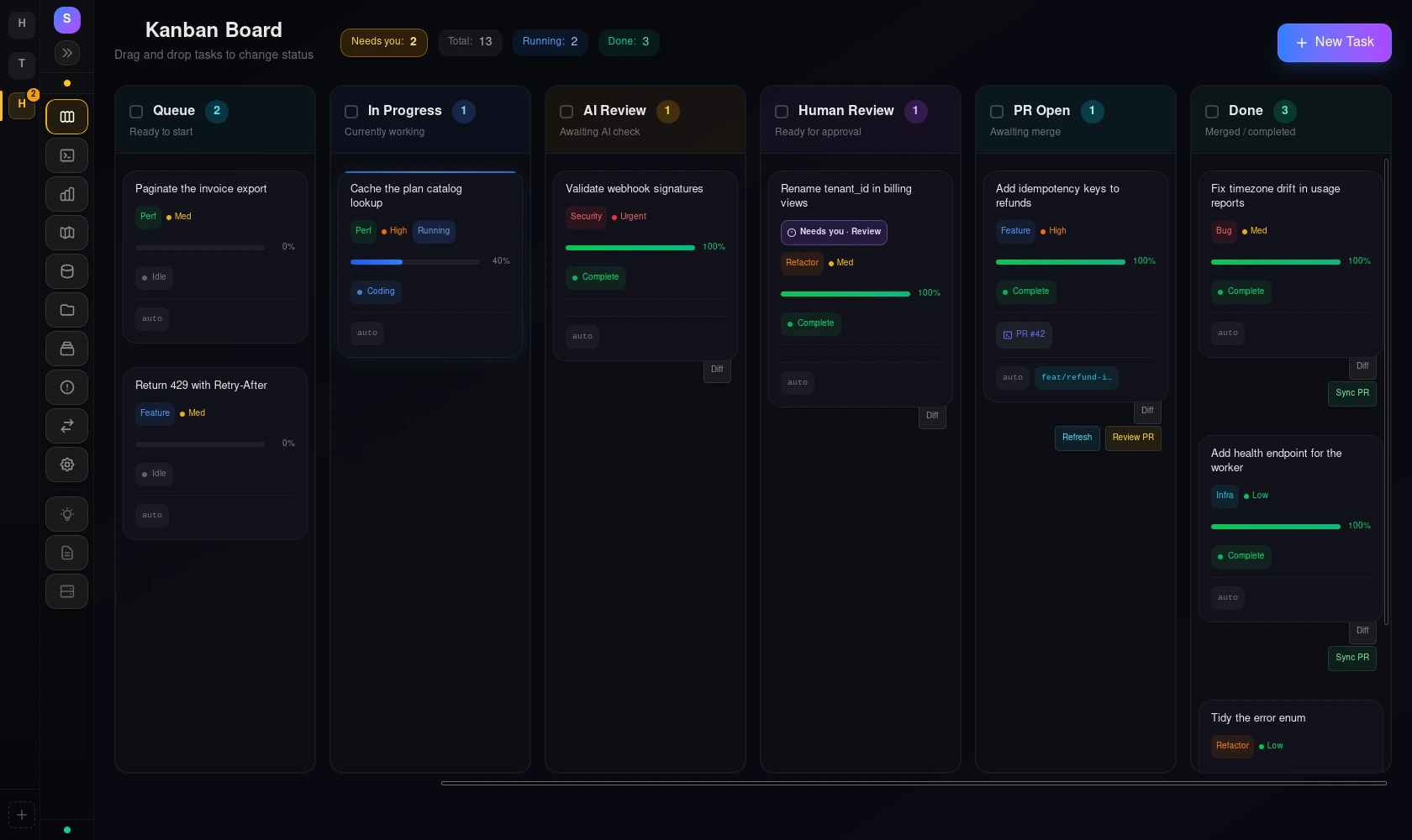
Handing code to an AI agent works for one task. Five tasks across three repositories, each on its own branch, with reviewer comments on yesterday's pull request, is where it falls apart.
How it works
Task
Stage the work
Plan tasks on a board for each project, or pull issues in from GitHub or Jira. Drop a card in the queue when it is ready.
Agent
Run it in its own checkout
Each task gets an isolated Task Checkout, a real Git worktree on its own branch. Agents run in parallel without sharing a working directory, and a terminal sits next to every task when you want to take over.
Review
Read the diff, decide
Read what the agent changed in the app. Tasks that need a decision are flagged on the board.
Pull request
Open it, answer reviewers
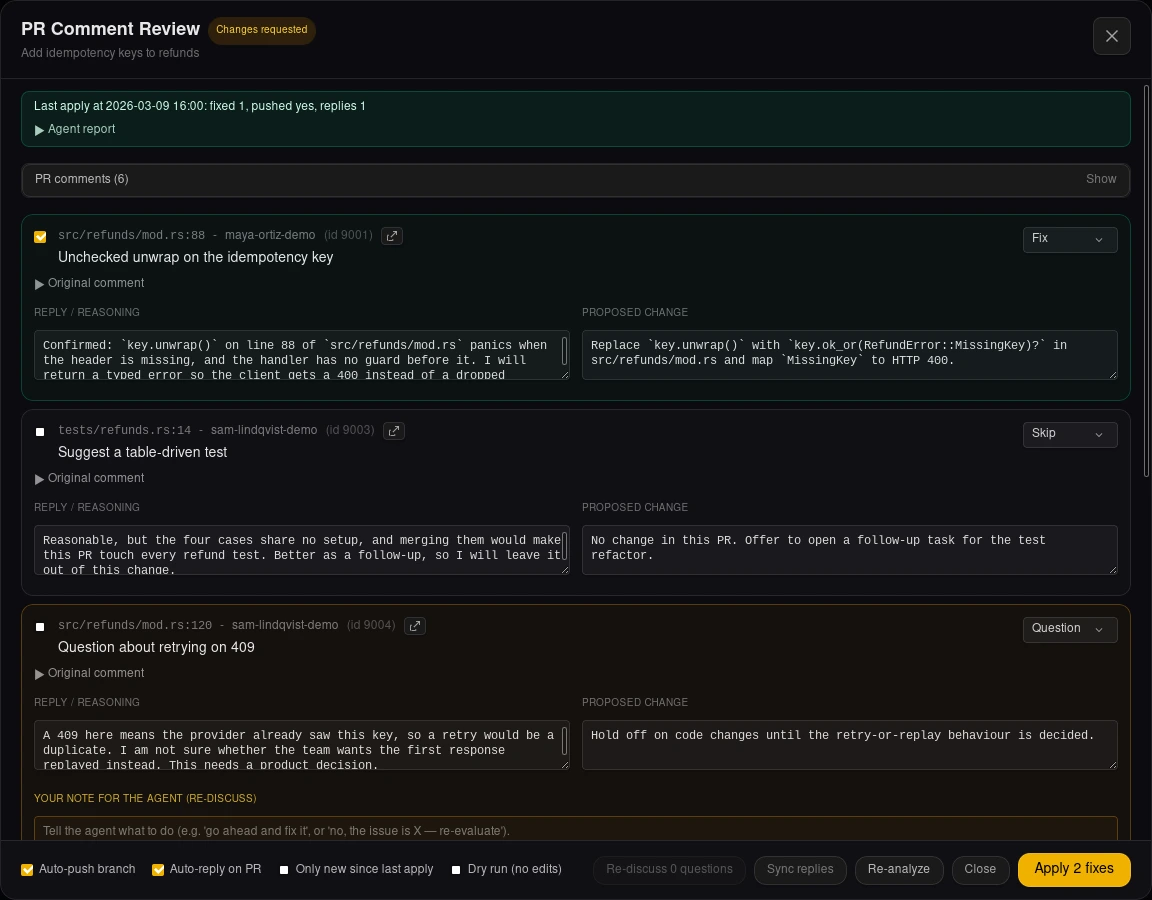
Open the pull request from the finished task. When reviewers comment, the assistant recommends Fix, Skip or Question for each one. You approve, and approved fixes are applied and replies posted on the PR.
What you get
Parallel, in isolated checkouts
One isolated Git worktree per task, with configurable concurrency for the queue, so parallel agents do not share a working directory. When two tasks touch the same files, that surfaces when their branches are integrated, as ordinary merge conflicts.
You stay in control
The board shows which tasks need you. The agent proposes; you approve the diff, the fixes and the replies. A terminal sits next to each task, so you can step in at any point.
Local first
Runs on your machine with your repositories. Works with plain Git and with first-class Jujutsu support. Claude Code and OpenCode are supported agents.
Scriptable
A slashit command line client controls the running app, for shell scripts and for other agents. A system tray and a headless daemon keep work running when the window closes.
Where it stands today
- Version
- Pre-1.0
- Stage
- Experimental prerelease
- Production
- Not ready
SlashIt is pre-1.0 and not production-ready. Experimental prereleases are published on GitHub, and each installation guide states what was verified and what was not.
- Platforms
- Installers are published for Linux, macOS and Windows. The installation guide names each installer, what was verified for it and its known limitations.
- Installers
- Installers are not code-signed yet, so the first launch shows an operating system warning.
- Workspaces
- Workspaces, which group several related projects, are in progress. A cross-project overview and coordinated changes are planned, not available.
- Sessions
- Persistent sessions that survive closing the window are a goal, not a guarantee.
Direction, not available today
Where it is heading: durable execution, proactive assistance, and coordination that reaches beyond software work. This is direction, not a feature list.